New Blogger Beta...

I have migrated the blog to the New Bloger Beta. This has unfortunatly created a problem for browsers loading the page.

when you visit my blog everything is locked up /frozen until an error
box pops up saying

"a script on this page may be busy or it may have stopped responding.
You can stop the script now or you can continue to see if the script
will complete.

[stop script] [continue]"

Everything stays frozen until the stop script button is selected....

I wrote to bloger help but have got no response.

I have also posted the above with a plea for help on the blogger help forum here:
http://groups.google.com/group/blogger-help-troubleshoot/browse_thread/thread/421a52495c04f1ae/?

What is causing this?

If anyone knows, what should I do?

August 06, 2006


Grapes
Wente Vinyard
Livermore, California

Canon EOS Digital Rebel / EF 17-40mm @ 17mm
f-9 / 1/200sec. / 200 ISO


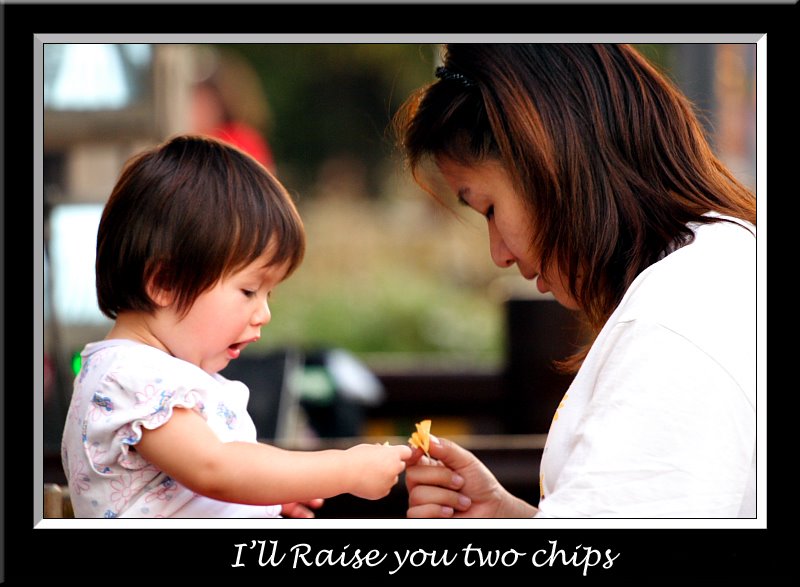
Sabrina and Grandmother, checking out the grapes and having fun!

Shot raw and cross processed via DPP and Photomatrix. Additional Layers were added using free plug in's from Red Paw Media Photoshop CS2 was used to dodge and burn, correct color, and combine the many many layers that were created.

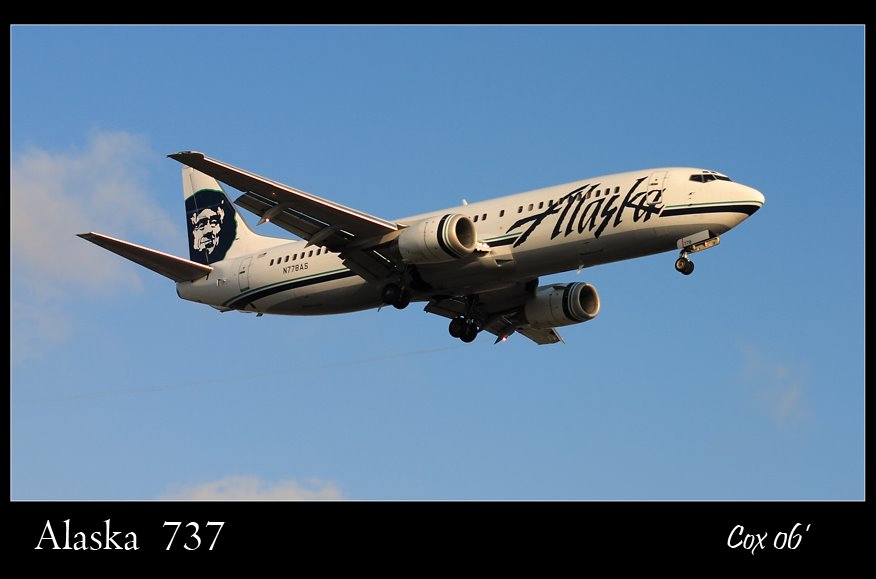
August 02, 2006


Alaska Airlines 737
Los Angeles, California

Canon EOS Digital Rebel / EF 50mm 1.4
f-5.6 / 1/800sec. / 100 ISO


Horizon Airlines Q-400
Los Angeles, California

Canon EOS Digital Rebel / EF 50mm 1.4
f-7.1 / 1/1000 sec. / 200 ISO

Shot Raw and processed via Canon's DPP. Additional work done in Adobe Photoshop CS2. Taken at LAX airport from the parking lot of IN-N-OUT burger. An excellent spot for takong pictures of airplanes, as well as great burgers.

July 23, 2006


Ghirardelli Square
San Francisco, California

Canon EOS Digital Rebel / EF 17-40mm @ 17mm
f-7.1 / 1/125sec. / 400 ISO

Shot RAW and converted from a LDR to HDR via Photomatrix. Tone mapped via Photomatrix, additional post processing via Photoshop CS2.

This sureal photo is a result of a tone mapped (High Dynamic Range) HDR image. Basically the shadows and highlights are both exposed properly via the Photomatrix software. The resulting image can range from realistic to sureal and the Photomatrix software makes it easy to make adjustments to your likeing. A good tutorial (how I learned to use it) is here...
http://petemc.net/hdr-guide/

I will get around to fixing my typo at some point...

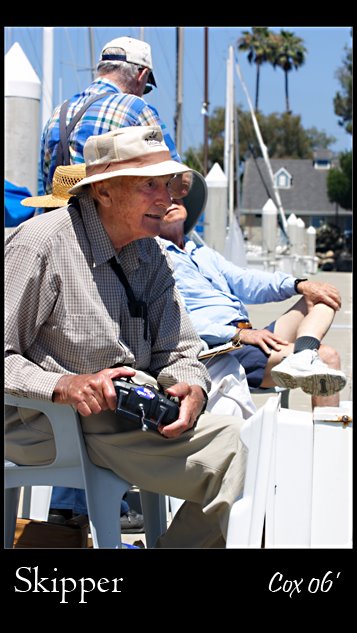
July 12, 2006


Skipper
Oceanside, California

Canon EOS Digital Rebel / EF 70-200mm @ 70mm
f-8 / 1/320 sec. / 100 ISO

Shot Raw and processed via Canon's DPP. Additional work done in Adobe Photoshop CS2. Canon's DPP has a new and very nice online tutorial. It is long overdue but since it is here now go check it out... http://www.photoworkshop.com/canon/dpp2/index.html

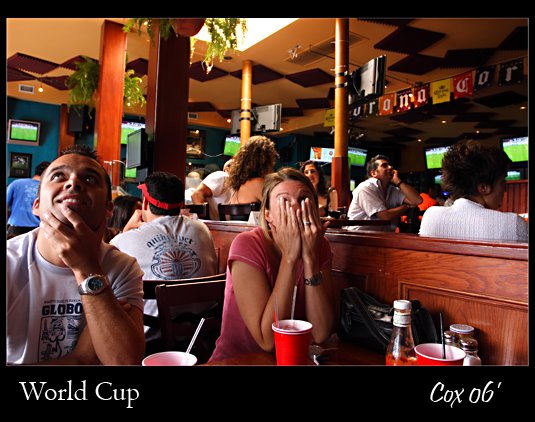
July 5, 2006


World Cup
Italy vs. France Semifinal
Manhatan Beach, California

Canon EOS Digital Rebel / EF 17-40mm @ 17mm
f-5.6 / 1/40sec. / 400 ISO

Shot RAW and processed via DPP. Frame added in PS CS2.

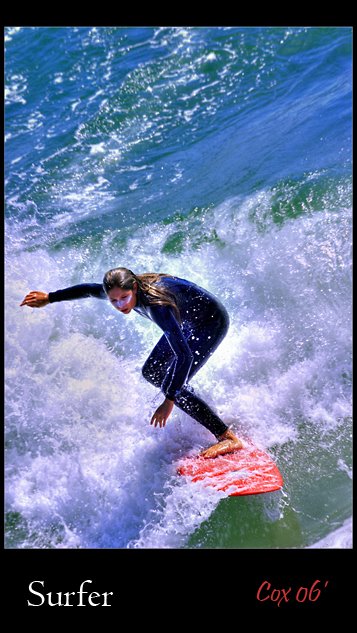
June 29, 2006


Surfer
Hunnington Beach, California

Canon EOS Digital Rebel / EF 70-200mm @ 200mm
f-7.1 / 1/500 sec. / 100 ISO

Shot RAW and processed via DPP. Additional sharpening, color correction and a frame added in PS CS2. Photomatrix was used to create a tone mapped layer, in an attempt to bring out details in the water. This file was a result of many different layers combined in PS CS2.

June 18-24

Sometimes you just don't pick up the camera for a while.

I will use this week to look back on my progress over the last 6 months. First I would like to say that making this blog has been very simple, blogger.com provides these for free and it is as simple as writing an e-mail. If you are considering starting your own blog, go do it, it is very simple.

When I began this Photo A Week project I wrote:

"I hope to take,
process, and post a photo here every week. Hopefully it will be a fun challenge for me to do this. I also hope to document how I worked on the posted photo. I think it will also help me document my growth as an artist..."

Although I tend to get behind on my processing an
d posting a little, I have been able to take some pictures each week, and I certainly have learned so much. I have seen the largest increase in knowledge with my post processing. I began by using PhotoShop Elements 2.0 and now am using PS CS2. There is so much to learn with this program that it is no surprise. I still have so much to learn...

Having to choose 1 photo a week has also helped me to
better analyze my shots and developed a more critical eye. The fact that I am doing something every week also helps, new techniques stay with me better if I use them regularly.

I think this project has been very successful so far. I have
improved myself and my photos, the blog makes it very nice to be able to mark my progress. Again I would highly recommend this type of blog to any photographer regardless of skill level.

I would also like to thank all the helpful members over at the POTN chatroom.
http://photography-on-the.net/forum/

POTN (Photography on the Net) is a Canon oriented chatroom where everyone can share photos and knowledge. I owe much of my current knowledge to the helpful members there.

Since I don't have a photo this week I will post a few older shots...

Click on picture to see the larger version.


June 12, 2006


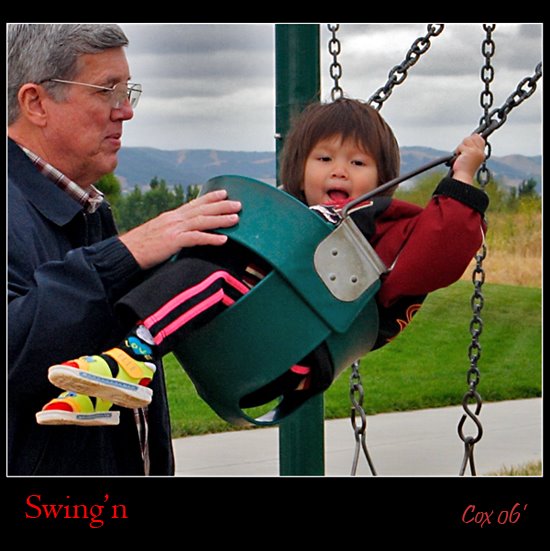
Swing'n
Dublin California

Canon EOS Digital Rebel / EF 17-40mm @ 37mm
f-10 / 1/400 sec. / 400 ISO

Shot RAW and processed via DPP. Cropeed via DPP. Post processing and frame added in PS CS2.

June 10, 2006


Baby Allan
Dublin, California

Canon EOS Digital Rebel / EF 70-200mm @ 131mm
f-4 / 1/100 sec. / 400 ISO

Shot RAW and processed via DPP. Extensive post processing via PS CS2.

June 2, 2006


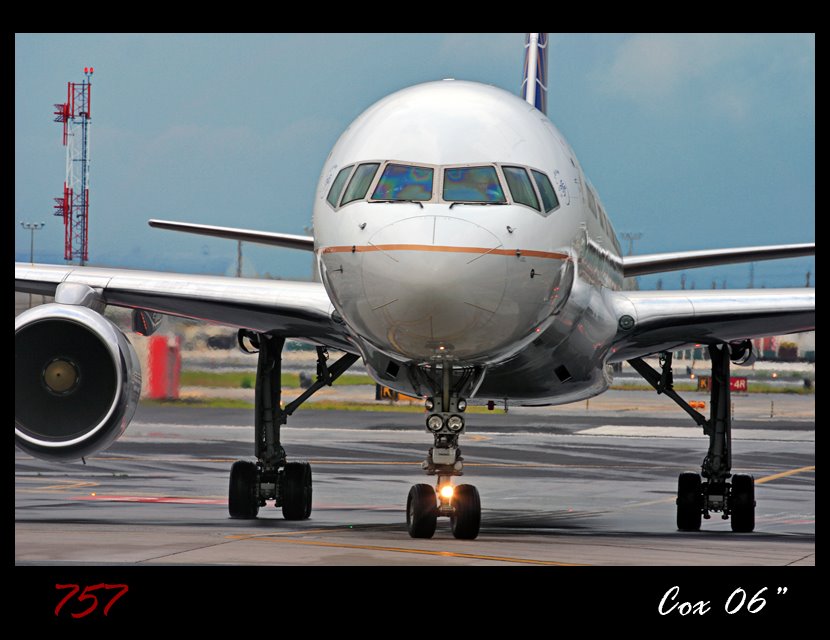
757
Newark Liberty Airport

Canon EOS Digital Rebel / EF 70-200mm @ 200mm
f-6.3 / 1/500 sec. / 200 ISO

Shot RAW and processed via DPP. Additional sharpening, color correction and a frame added in PS CS2.

I am slowly getting the hang of using PhotoShop CS2, and Canon's DPP. I have developed my own style of doing things called a "workflow". I am still learning and it changes as I learn better ways of doing things.

My current workflow is as follows:

Shot RAW and processed with Canon DigitalPhotoPro

Brightness = 0.0
White Ballance = Cloudy
Pic Style = Landscape
Histogram levels adjusted for brightness and contrast
Tone = 0
Saturation = 2
Sharpness = 4

Final Processing via Photoshop CS2

1 . I generally start with Auto: Levels / Color / Contrast, and if it improves things I accept it otherwise bact to the original. In this case Auto levels made the sky a better blue color and Auto Contrast made no visible change so I kept it. Auto Color made things worse so I did not use it.

2. I used Shadow/Highlight tool to make some minor adjustments

3. I tried using the High Pass Filter on a new layer to sharpen the image. I do not completly understand how to get this to work. At the normal setting it made things a little sharper but also made things grey! even at 9% opacity it killed my contrast and at 9% not much sharpening was going on. I ended up using soft light at 35% opacity. This seemed to work.

4. I added Contrast +7

5. Resized to 700 pixels wide. Maybe I could do this a better way?

6. Ran a USM, 68 / 5.6 / 21

6. Added the black boarder

7. Saved for the web, Jpg - high

The end.

It will be intresting to look back later and see what changes I make.
If anyone sees ANYTHING I could do, or do better let me know.

May 23,25, 2006


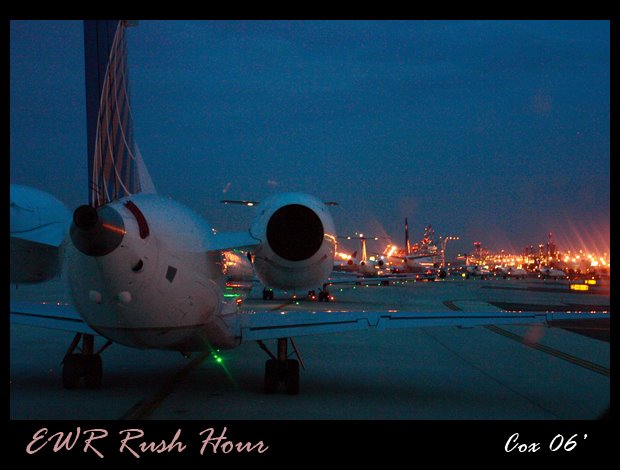
EWR Rush Hour
Newark Liberty Airport

Canon EOS Digital Rebel / EF 17-40mm @ 40mm
f-4 / 1/15 sec. / 1600 ISO
Shot RAW and processed via DPP. Frame added in PS CS2.


Tony & John
Dallas, Texas

Canon EOS Digital Rebel / Russian 50mm 2.0
f-2 / 1/10 sec. / 1600 ISO

Shot on John's camera as a medium Jpeg. Touched up, adjusted and frame added in PS CS2.

May 18, 2006


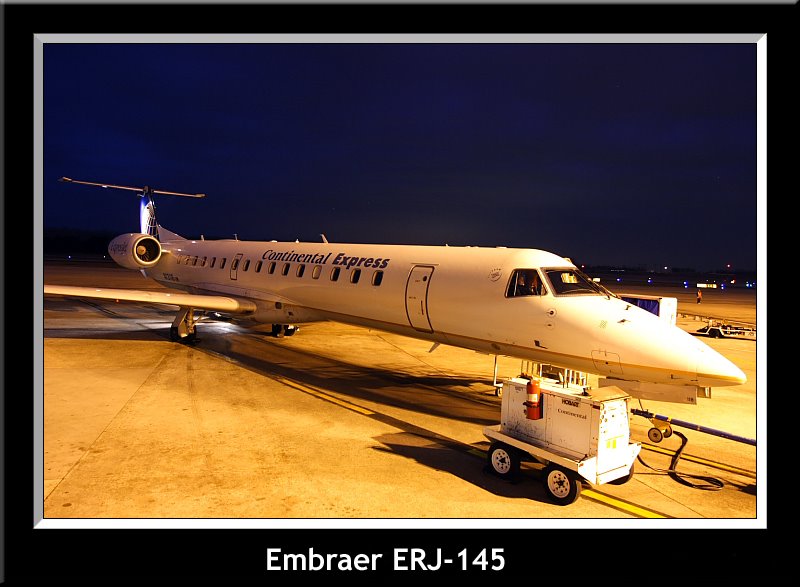
EMB-145XR
Newark

Canon EOS Digital Rebel / EF 17-40mm @ 17mm
f-4.5 / 1/40 sec. / 800 ISO

4 photos Shot Raw and processed via Canon's DPP. The 3 panel photos were stitched together with Canon's Photo Stitch software. 4th photo of outside was added in Adobe Photoshop CS2, to replace the blown out highlights of the original. Some burning was also done to give the CRT's a uniform exposure.

May 13, 2006


Lets Go!
California

Canon EOS Digital Rebel / EF 100-300mm 5.6 L @ 125mm
f-6.3 / 1/200 sec. / 400 ISO

Shot Raw and processed via Canon's DPP. Additional work done in Adobe Photoshop CS2.

This particular shot relied heavily on the shadows/highlights tool to bring little Sabrina out of the shadows. I learned a lot from schmoelzel's tutorial on the POTN forum. You can find it here:
http://photography-on-the.net/forum/showthread.php?t=95468

I highly recommend POTN to all photographers: http://photography-on-the.net/forum
I have learned so much by visiting, reading what other have to say, and asking questions.

This photo was taken with an early model Professional Canon L lens. More about this rare lens can be found on my camera website: Canon 100-300 5.6 L

May 5, 2006


Hot Shot

Canon EOS Digital Rebel / EF 17-40mm @ 17mm
f-5.6 / 1/60 sec. / 100 ISO

Shot RAW and processed via DPP. Touched up and adjusted in PS-CS2
Fill flash was used to eliminate harsh shadows and to reduce contrast between indoors and outside. This is a bit unusual for me since I prefer available light in almost all cases. This shot worked out well so maybe I will learn to like the flash...

April 27, 2006


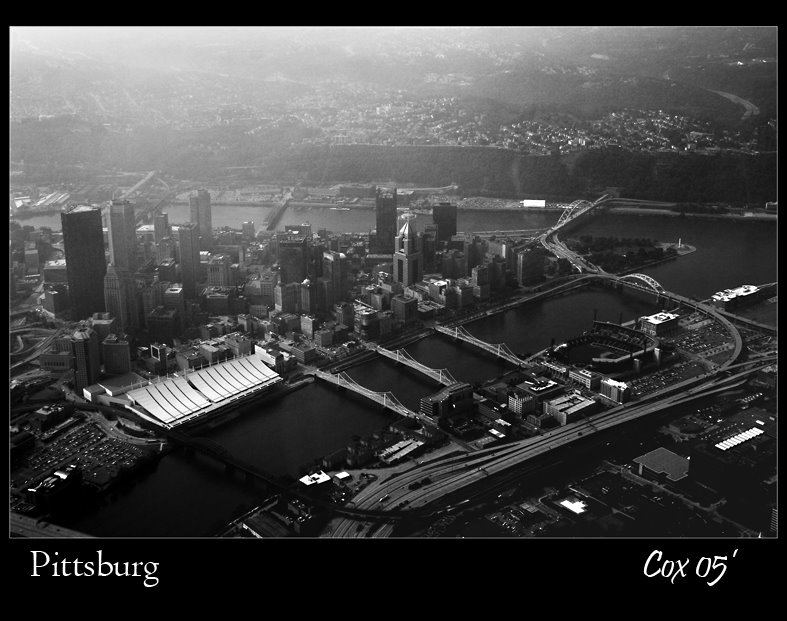
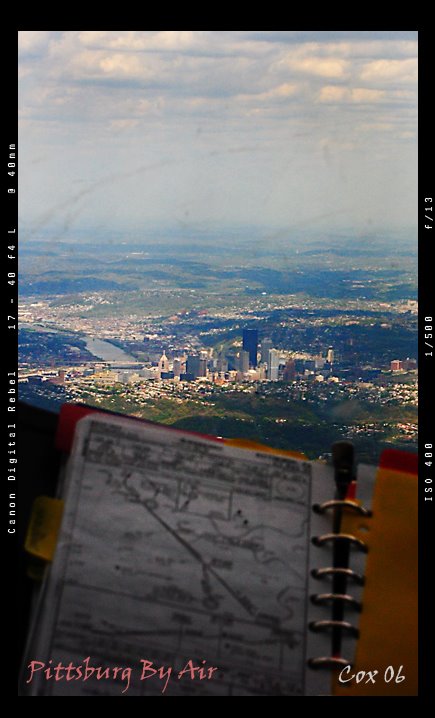
Pittsburgh by Air
Pittsburgh, Pennsylvania

Canon EOS Digital Rebel / EF 17-40mm @ 40mm
f-13 / 1/500 sec. / 400 ISO

Shot RAW and processed via DPP. Cropped and adjusted in PS-CS2
On arrival into PIT we could see the city in the distance. Pittsburgh is a very photogenic city and I have taken a number of pictures of it over the years.

April 18, 2006


Sabrina 101
Taipei, Taiwan

Canon EOS Digital Rebel / EF 17-40mm @ 17mm
f-8 / 1/125 sec. / 100 ISO

Shot RAW and converted via DPP. PS-CS2 used for shadow/highlight and sharpening. Sabrina stands outside of the worlds largest building "The Taipei 101" on a very sunny morning. Trying out a new style of frame here too!


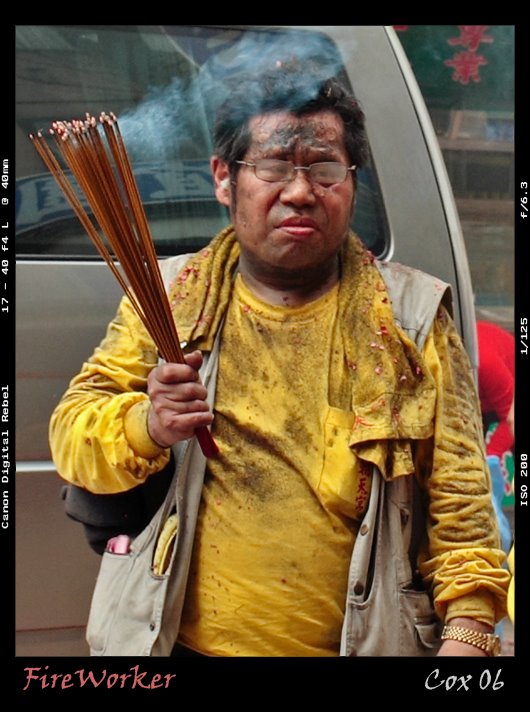
FireWorker
Taipei, Taiwan

Canon EOS Digital Rebel / EF 17-40mm @ 40mm
f-6.3 / 1/125 sec. / 200 ISO

Shot RAW and converted via DPP. A crop of about 20% of the frame. PS-CS2 used for shadow/highlight and sharpening. This was taken following a huge detonation of fireworks that temporarily blackened the sky. This man was one of a few who carried an alter through the exploding fireworks into the local temple. He has now lit sticks of incense which he will distribute to his fellow alter bearers, who will use them as offerings of tribute to the goddess on the alter.

April 15, 2006


Annie at the Night Market
Taipei, Taiwan

Canon EOS Digital Rebel / EF 50mm 1.4
f-2.5 / 1/125 sec. / 400 ISO

Shot Raw and processed via Canon's DPP. Additional work done in Adobe Photoshop CS2. A new piece of software for me. It can be downloaded for "free for 30 days" from Adobe's website.

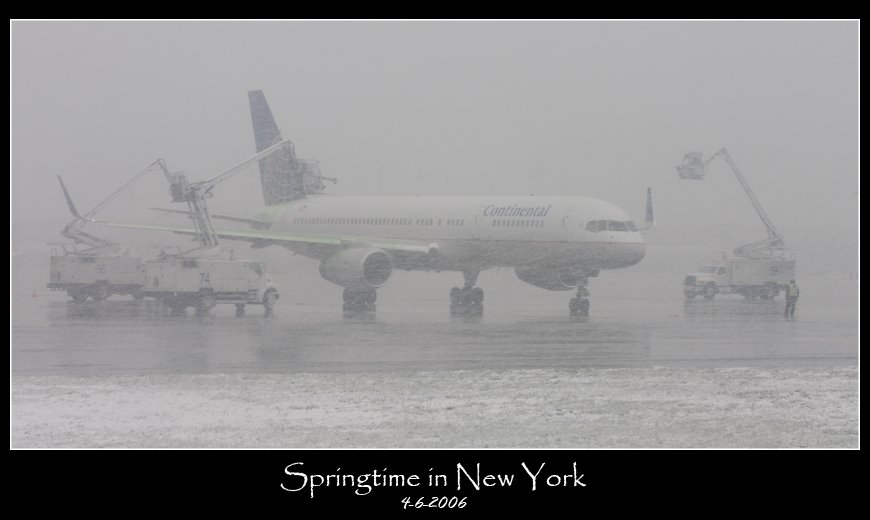
April 4, 2006


Canon EOS Digital Rebel / EF 70-200mm @ 200mm
f-14 / 1/30 sec. / 200 ISO

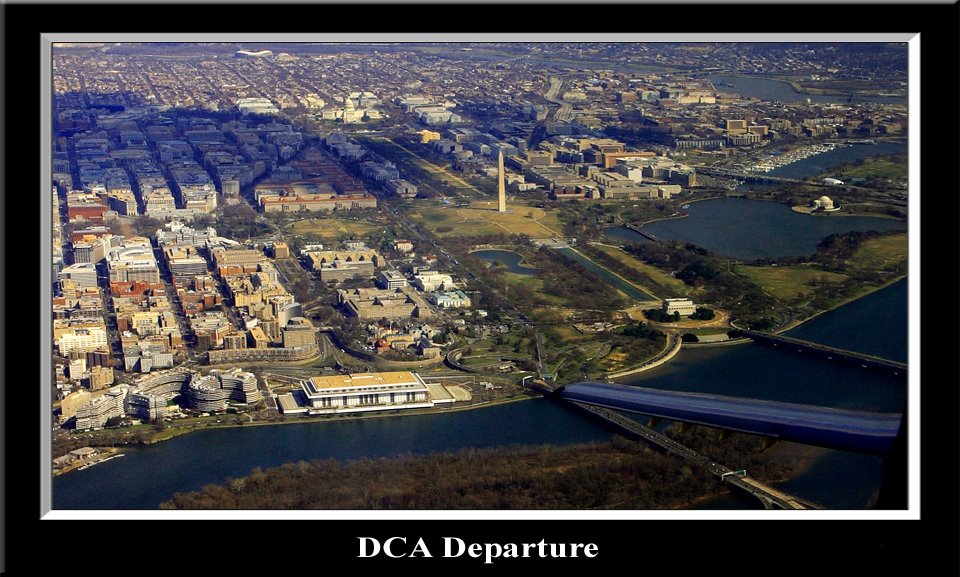
March 24, 2006


Canon EOS Digital Rebel / EF 17-40mm @ 26mm
f-11 / 1/320 sec. / 200 ISO

Shot Raw and converted in DPP. Auto levels, auto contrast, USM in PSE 2.0. Watergate Hotel and the Kennedy Center in the foreground

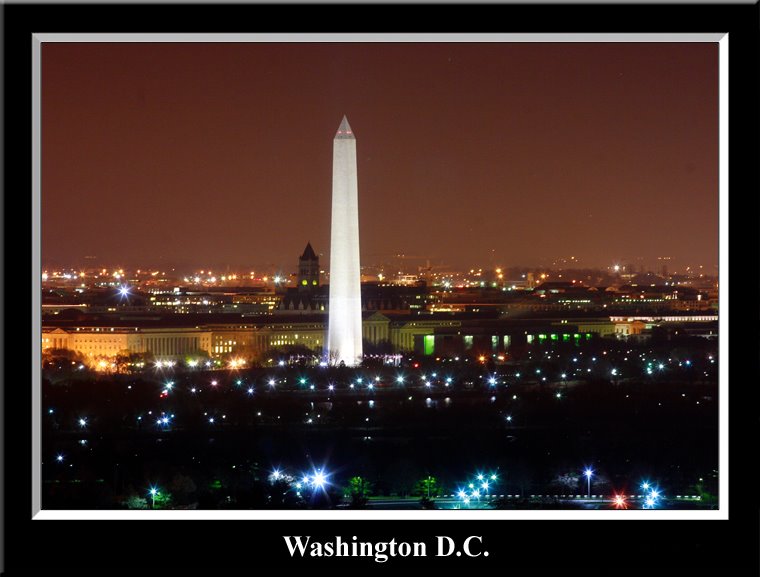
March 21, 2006


Canon EOS Digital Rebel / EF 70-200mm @ 200mm
f-14 / 1/30 sec. / 200 ISO

Shot Raw and converted in DPP. USM in PSE 2.0. Taken across the river in Virginia.

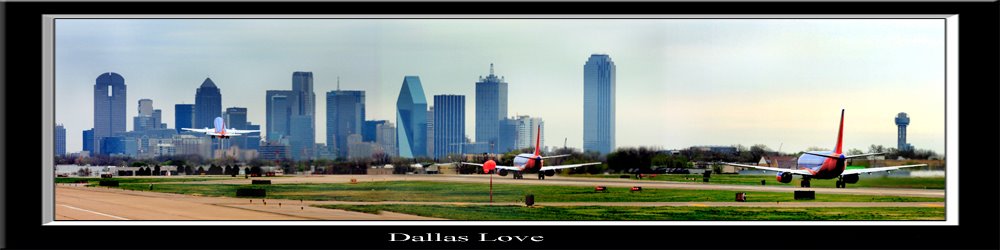
March 16, 2006


Dallas Love

Canon EOS Digital Rebel / EF 70-200mm f-4 @ 200mm
f-6.3 / 1/500 sec. / 100 ISO

3 photos shot RAW and processed in DPP. Stitched together with Canon's Photo-Stitch. Contrast, color, saturation and some burning and dodging done in PSE 2.0

March 8, 2006


Minolta SR-T 101

Canon EOS Digital Rebel / EF 35mm 2.0
f-3.2 / 1/80 sec. / 200 ISO

Shot RAW and processed in DPP. B&W conversion via DPP as well.

My SRT 101 again. This time I am shooting for a webpage I wrote about it.
http://home.comcast.net/~camerapage/SRT101.htm

March 3, 2006


Canon EOS Digital Rebel / EF 17-40mm @ 17mm
f-6.3 / 1/80 sec. / 100 ISO

Shot RAW and converted into 5 different files in Canon's DPP. Each file was exposed differently 1-sky, 2-landscape, 3-instrument panel, 4-Kelly, 5-a B&W conversion to bring out shadow details. In PSE 2.0 the 5 files were layered and masked so each would bring out its specific properly exposed area. Once finished the file was layered onto the original.

Notes on Making & Working on Digital Photos

EOS DIGITAL REBEL
I am currently making most of my photographs with a Canon EOS Digital Rebel This is a (SLR) Single Lens Reflex camera that has the ability to use many different lenses and its complexity allows for a huge range of freedom from fully manual control to fully automated. I also have a large stable of film cameras that I enjoy using. The EOS cameras use Canon EF autofocus Lenses, I also have several adapters to allow me to use Nikon and M42 screwmount lenses.

DPP - Digital Photo Professional
I generally shoot in RAW format. This is a feature of higher end cameras and allows for you to have all the raw sensor data from the digital camera without the camera making any automated image enhancements like it would to make a .Jpg image. This RAW file really is raw data, think of it like a film negative, and must be processed in conversion software and made into a .Jpg file. This conversion software allows me to make decisions on brightness, tone, contrast, color temperature, color saturation, and grain sharpness. By allowing me to make these decisions I can fine tune my pictures, sometimes far better than the logic built into the camera. I use Canon's own free Raw conversion program Digital Photo Professional .

PSE 2.0 - PhotoShop Elements version 2.0
Once the RAW negative is processed I often use Adobe Photoshop Elements 2.0 to make some touch-ups. Photoshop allows me to make changes to smaller sections of a photo that might need a brightness adjustment or a color adjustment. I also use the Layers tools to help increase dynamic range (extend the details in the light and dark areas), also layers allows me to add the borders or frames to the photos.

February 22, 2006


Canon EOS Digital Rebel / EF 17-40mm @ 17mm
f-4 / 2 sec. / 200 ISO

Shot RAW and converted in DPP. Slight touchup and frame in PSE 2.0


February 12, 2006


Canon EOS Digital Rebel / EF 70-200mm @ 200mm
f-4 / 1/60 sec. / 400 ISO

Shot Raw and converted in DPP. Auto levels, auto contrast, USM in PSE 2.0. The frame is new for me too! My first one. I copied it from someone else painted it black and pasted my photo and caption into it. Hopefully I will figure out how to make them soon.

February 11, 2006


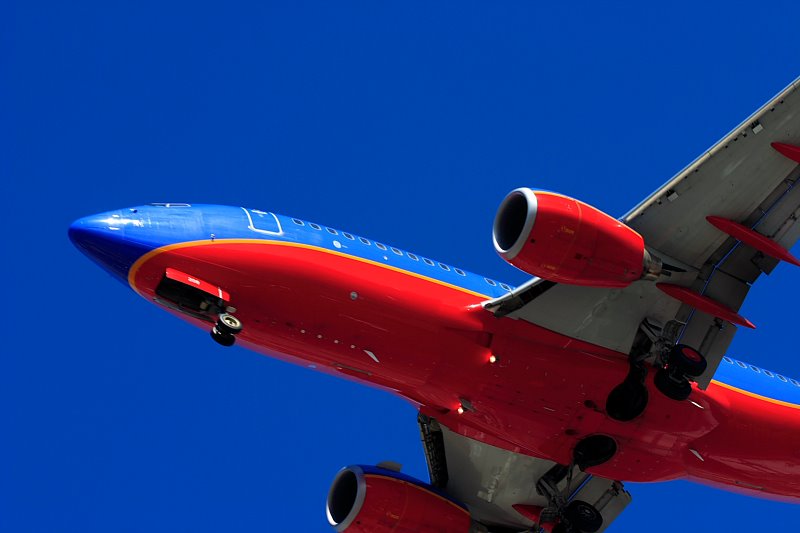
Southwest at San Diego
EOS Digital Rebel / EF 70-200mm 4 @ 73mm
f-8.0 / 1/320 sec. / 100 ISO

Shot RAW and post processed in DPP.


February 2, 2006


Nap Time

Canon EOS Digital Rebel / EF 70-200mm @200
f-4 / 1/200 sec. / 400 ISO

Shot RAW and processed in DPP.

January 31, 2006


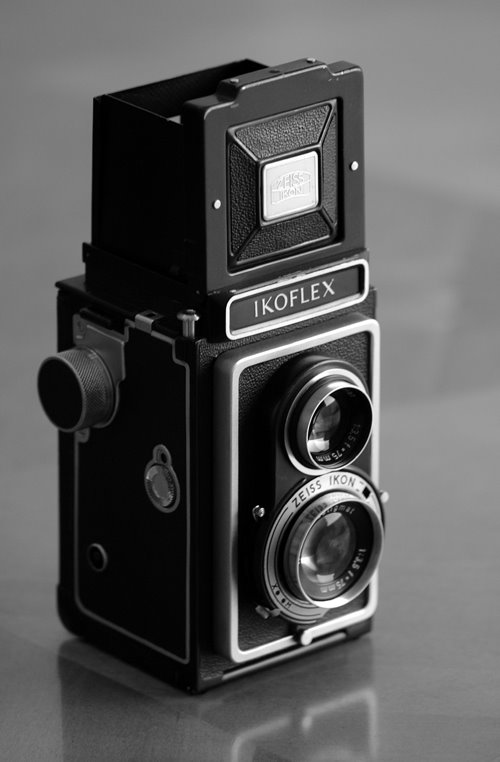
Ikoflex Ia
EOS Digital Rebel / EF 70-200mm 4.0
f-4.0 / 1/25 sec. / 400 ISO

Shot RAW and processed into B&W with DPP. Straightened and touched up in PSE 2.0

My favorite still life subject has been my cameras. I have been shooting them with varying degrees of success since I first got my first SLR a Canon EOS 650 (the first EOS model) and much later with my first digital a Canon A50. Now with my D-Rebel things are only getting better......

See more of my 1956 Ikoflex here on my "Ikoflex page".

January 27, 2006


Fast Glass

EOS Digital Rebel / EF 35mm 2.0
f-22 / 3.2 sec. / 100 ISO

Shot RAW and processed in DPP. No fancy processing.
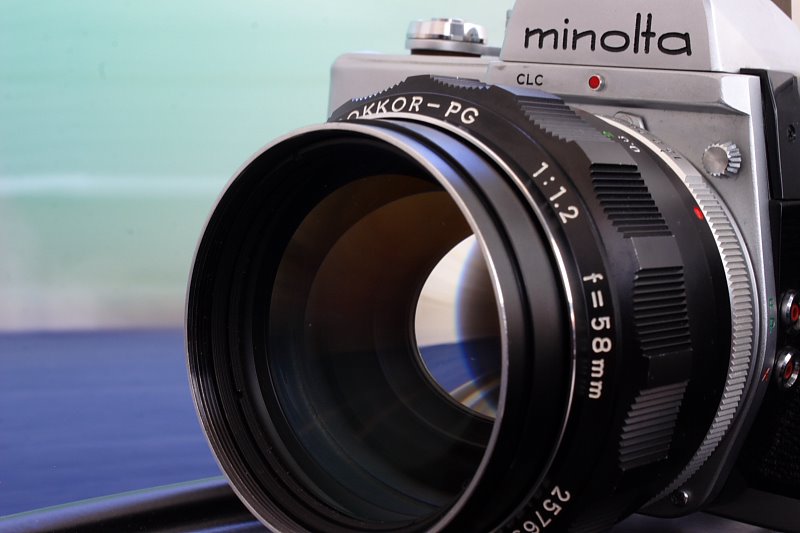
The setup for the shot was both cameras on a turntable. A long 3.2 second exposure was made as the turntable was moved back and forth to give the background the feel of high speed. I also find a longer exposure gives a nicer rendering of the glass in the lens. Although I did get the look I was aiming for, it is not as obvious or dramatic as I had hoped for. Perhaps the background needs to have more variation than what I was using.

The camera is the venerable Minolta SRT 101, a great camera that was probably Minolta's best seller ever. The lens is Minolta's fastest! Minolta made the 58mm lens when others made 50mm's. One big advantage of 58mm is that it is exactly the same perspective as the human eye. If you have one eye looking through the viewfinder and the other open they will see the same. The 58mm 1.2 was made in 1969 when high speed films were ASA 400 and very grainy!, so the super fast glass meant a lot more back then than it does today with out great high speed films.

January 15, 2006


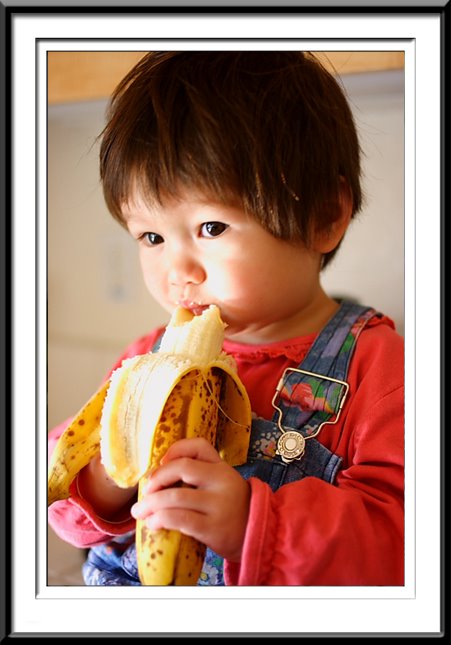
Sabrina with a Banana
EOS Digital Rebel / EF 35mm 2.0
f-2.0 / 1/30 sec. / 100 ISO

Shot RAW and straight from DPP.

January 12, 2006


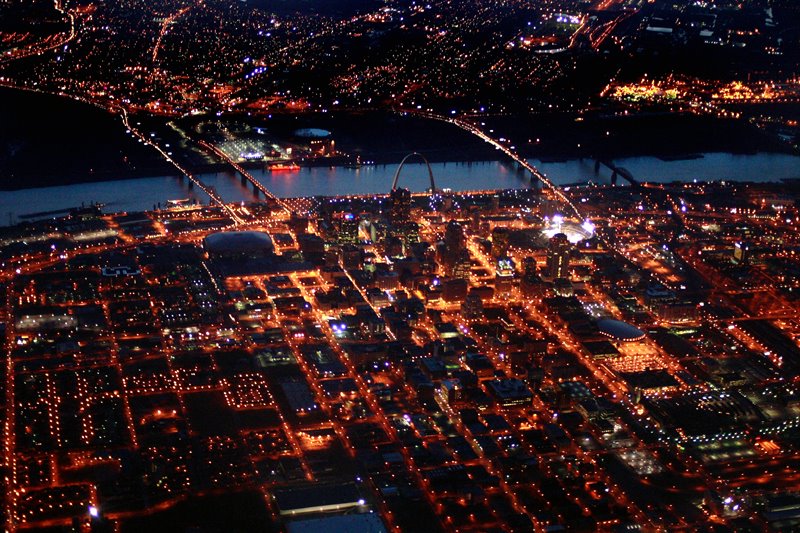
Saint Louis at Dawn
EOS Digital Rebel / EF 35mm 2.0
f-2.0 / 1/25 sec. / 1600 ISO

Early morning departure out of STL. Luckly I had my brand new 35mm lens handy!

Shot RAW and Processed 2x in DPP to increase dynamic range and 1x B&W for contrast and sharpness. Layered togother in PhotoShop Elements 2.0

January 05, 2006


Santa Monica at Sunset
EOS Digital Rebel / Canon EF 17-40mm
f-4.0 / 0.5 sec. / 400 ISO

Spent the day in Santa Monica, California. The sunset was fantastic, and lasted for over an hour!

Shot in RAW and processed with Canon's Digital Photo Pro (DPP) a few dead pixels were cleaned up with the cloneing tool, otherwise as shot.

Welcome

Hello and welcome to my Photo A Week project....

I hope to take, process, and post a photo here every week. Hopefully it will be a fun challenge for me to do this. I also hope to document how I worked on the posted photo. I think it will also help me document my growth as an artist...